Your rules.
Someone finally holds you to them.
Meet Milo: an AI mentor that knows your rules and reads them back to you nine minutes after your second loss. Before you click.
No signals. No profit promises. Built by a trader after four account resets.
You knew. You entered anyway.
Tuesday, 10:40 PM. You're sitting in front of a dark monitor. The day started well: a written plan, two clean losses. Then something switched. You don't remember what you thought between 4:15 and 4:24. You remember the feeling that the market owed you. The third entry wasn't in the plan.
The worst part isn't the money. The worst part is that you knew. If someone had asked one question at 4:24, the day would have ended differently. Nobody was there.
Another course won't fix it. Courses talk to the part of you that already knows. Milo talks to the part that takes over at 4:24.
Your plan from 8:05 AM says: after two losses, a twenty-minute break. Who is making this decision: you from 8:05 or you from 4:24?
If one of these sentences is yours, this page is for you
- “I know every rule. I break them anyway.”
- “After the second loss I stop being myself.”
- “I keep my journal as long as it's green.”
- “I don't need to know more. I need someone to stop me.”
What Milo does during your day
You write your rules down once. From then on Milo holds you to them, not to someone else's. The screenshots come from the app.
Morning
One thing to watch
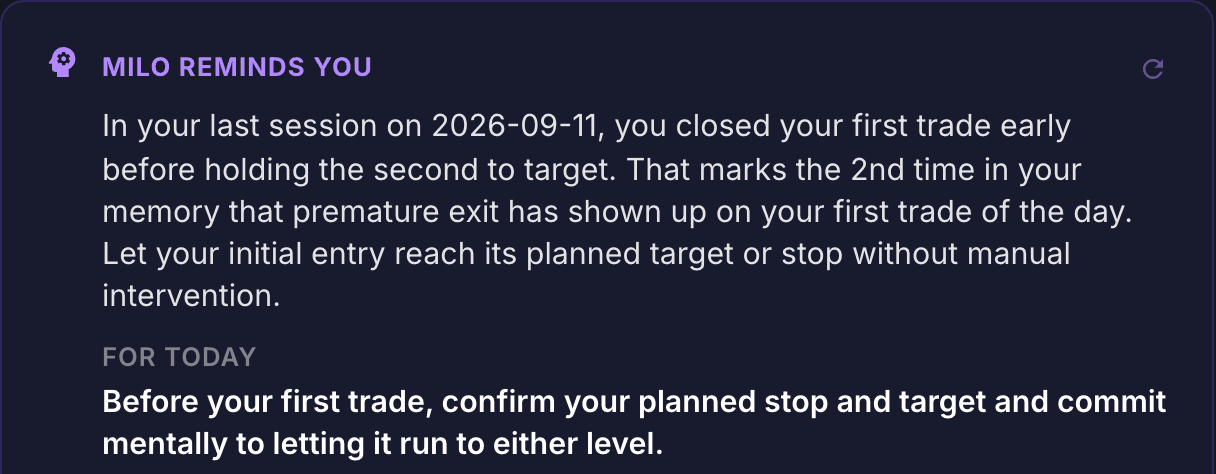
Before you open a chart, Milo reminds you what it saved after the previous session: a pattern with a counter and one task for today. It isn't a verdict. It's a fact you can't wave away: “this is the second time.”
Milo's Memory · Pro plan
During the session
Your rules, not someone else's
Milo checks every trade, every note and every change of mood against your own method. It doesn't tell you what to buy. It tells you whether this entry comes from the plan or from the feeling.
Basic and Pro
Four of the eight conditions on your checklist. Which of the missing ones do you not want to check today?
After a loss
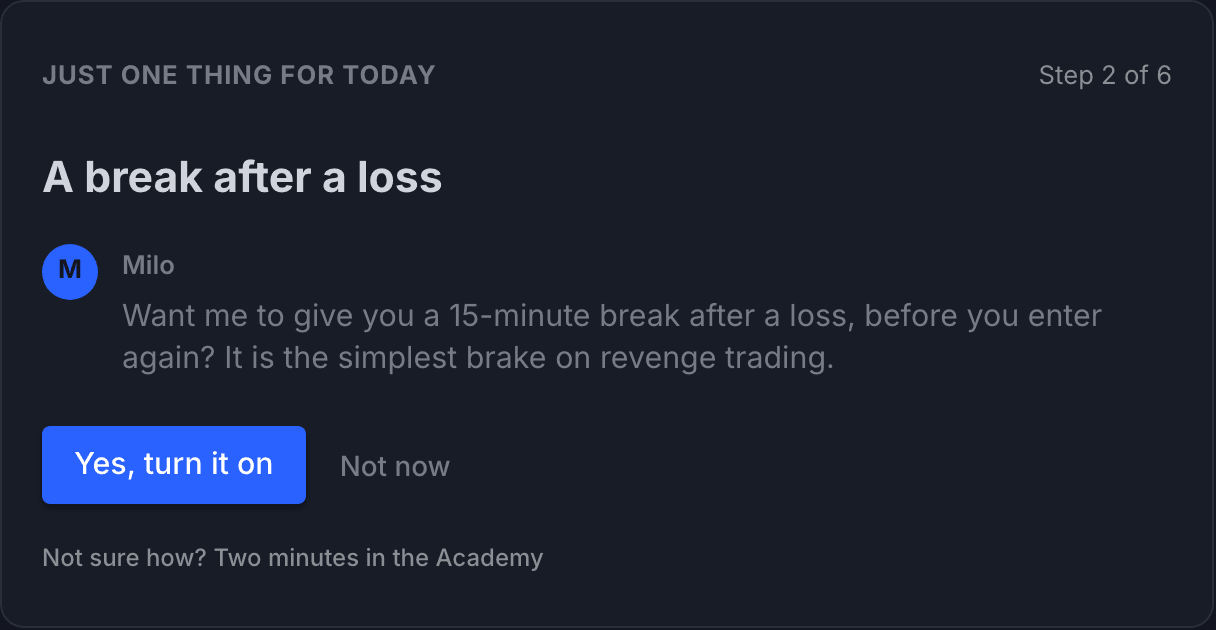
A break instead of a red alert
An alert gets clicked away. A conversation stops you. Milo offers a post-loss break with one tap, and the Risk Guardian watches the loss limit and the trade count you set yourself.
Basic and Pro
Evening
A review that is blind to the result
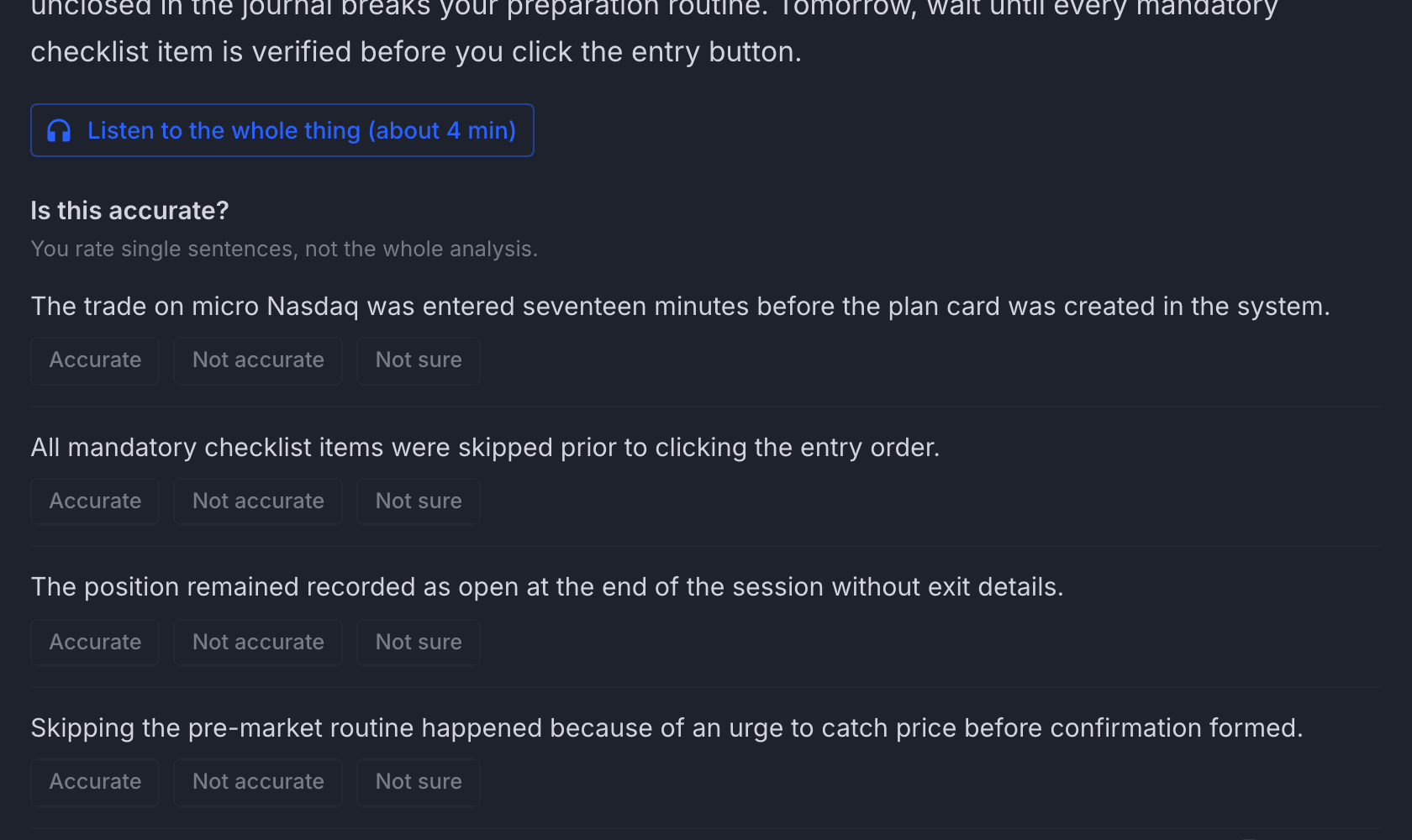
A green trade on a broken rule is a bad decision to Milo. In the evening you get a summary of the day, and on Pro a deep analysis: three sentences on top, the whole thing to listen to, and sentences to rate one by one: accurate, inaccurate, not sure. Your rating changes the next ones.
Deep analysis · Pro plan
Milo coaches your process. It does not tell you what to buy or sell.
A conversation, not a dashboard
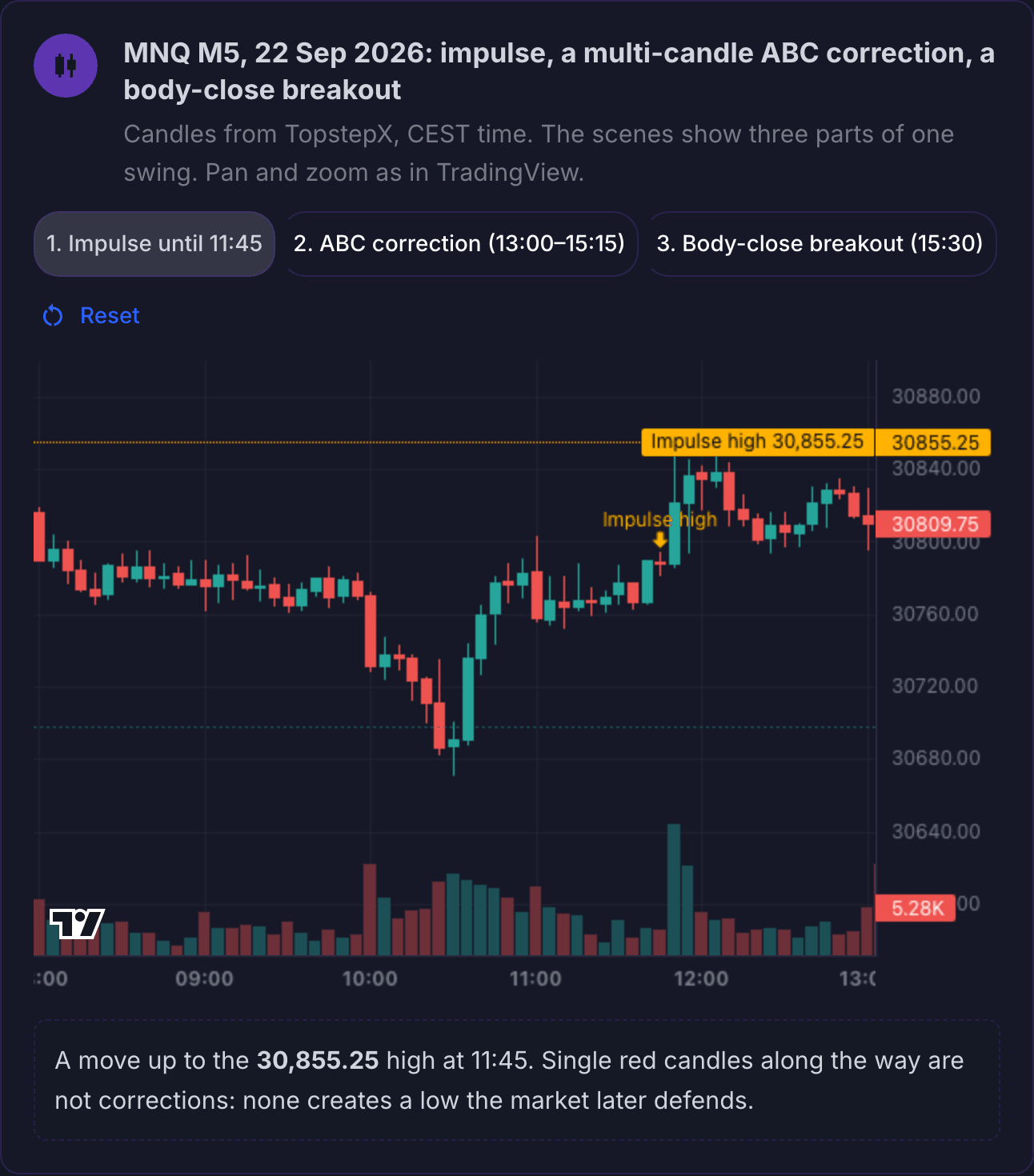
Milo is someone you talk to. Ask about anything, drop in a chart screenshot, answer with one tap. The screenshots come from the app.

Three sentences on top
Every text from Milo has the same shape: what went right, the one thing that matters, one step to take. The rest waits under “Expand”, for those who want it. Longer analyses can be listened to (Pro plan).
Ideas instead of a blank page
Instead of “what should I ask?”, Milo suggests on its own, from your data: “The second trade of the day was worse than the first again. Want a reminder of your limit before the second entry?” One tap: “Do it”.
You answer with a tap, Milo remembers
You rate a sentence from the deep analysis: accurate, inaccurate, not sure. A repeating pattern you accept or push back on: “Not now”, “That's not it”. The answer is saved and changes what Milo says next time.
Milo admits when it was wrong
When a level it pointed to yesterday didn't work, it says so in the morning, plainly: “I got this one wrong”, and adds what it takes from it for today. Once, in one sentence, with no excuses. This works with TopstepX connected, because then Milo has the candles to check it on.
One thing at a time
“Today” has one line: “Today I'm watching: …”. One, not five. When it's empty, Milo suggests and you accept with one tap. Hard messages arrive one at a time; the rest waits under “2 more things from Milo”.
Few words, never silence
A confirmation is “Saved”, not a paragraph. When Milo works longer, you can see it and close the window: the result waits in the “From Milo” tab. Milo speaks up when it has something to say, not just to say something.
Chats and analyses with Milo: 50 a day on Basic, 100 on Pro.
Milo where you are
The browser has everything. The native apps exist so Milo can speak up when the browser is closed: next to the chart and away from the desk.
Browser
The full platform: Today, journal, your method, progress, the conversation with Milo. On a computer and on a phone.
iPhone
Home is the conversation. Milo writes to you on its own: the morning brief, the letter of the day, a question whether a sentence from the analysis was accurate. Add a trade with a photo of your broker screen, answer by text or voice.
Mac
A narrow panel next to your broker platform: the scenario with its checklist, a trade from a screenshot with one shortcut, Milo's last word. The post-loss break and the Risk Guardian speak up even with the browser closed.
Android and Windows
The same Milo and the same layout: the conversation on the phone, the panel next to your broker platform on the computer. Already being built, on the same backend as iPhone and Mac.
The iPhone and Mac apps are ready and go to the first users on request: write to contact@traderaiassistant.com with your account email. You buy a plan on the website; in the apps you only sign in.
Four limits of a human mentor
A good mentor is priceless. But there are limits no human can get past.
Not there at 4:24 PM
You meet once a week. The game is decided in the seconds between the impulse and the click.
Remembers impressions, not counts
A mentor doesn't know the entry after a loss happened for the fifth time this quarter, always in the second hour of the session.
Sees what you show
The worst days get told in shorthand. A mentor works from the story, not from what happened.
An hour costs money
A high hourly rate and a dozen or so mentees. There is no more room than that.
We don't replace the mentor. We remove the limits.
Two paths. Pick yours.
I've traded for years
I know what to do. And I don't do it.
You have a method, rules and at least one reset behind you. The problem isn't knowledge. It's the nine minutes after the second loss.
- TopstepX: trades land in your journal by themselves
- Risk Guardian on real fills, not on declarations
- A trading lockout after the day closes, if you say so
I'm just starting
I want to start and I don't want to blow up.
Before you deposit anything: twenty trades on a demo account, inside the plan. Milo guides you step by step and speaks plainly.
- The “Trading from zero” course: 12 lessons, each with a chart exercise
- Demo account: Paper Trading on TradingView, no deposit
- A loss limit set from day one
First weeks on a demo account only.
Who is behind this
My name is Janusz Lenkiewicz. I'm a psychologist, an educator and a software engineer. I trade futures.
I blew four funded accounts; the last reset was July 2026. Not for lack of knowledge. Because at 4:24 PM knowledge doesn't stop your hand.
I built Milo for myself and I use it every day on my own account. I don't promise profits. I promise someone is watching.
Janusz Lenkiewicz
psychologist, educator, software engineer, futures trader
More about me and where Milo came fromWhat Milo sees. What it will never do.
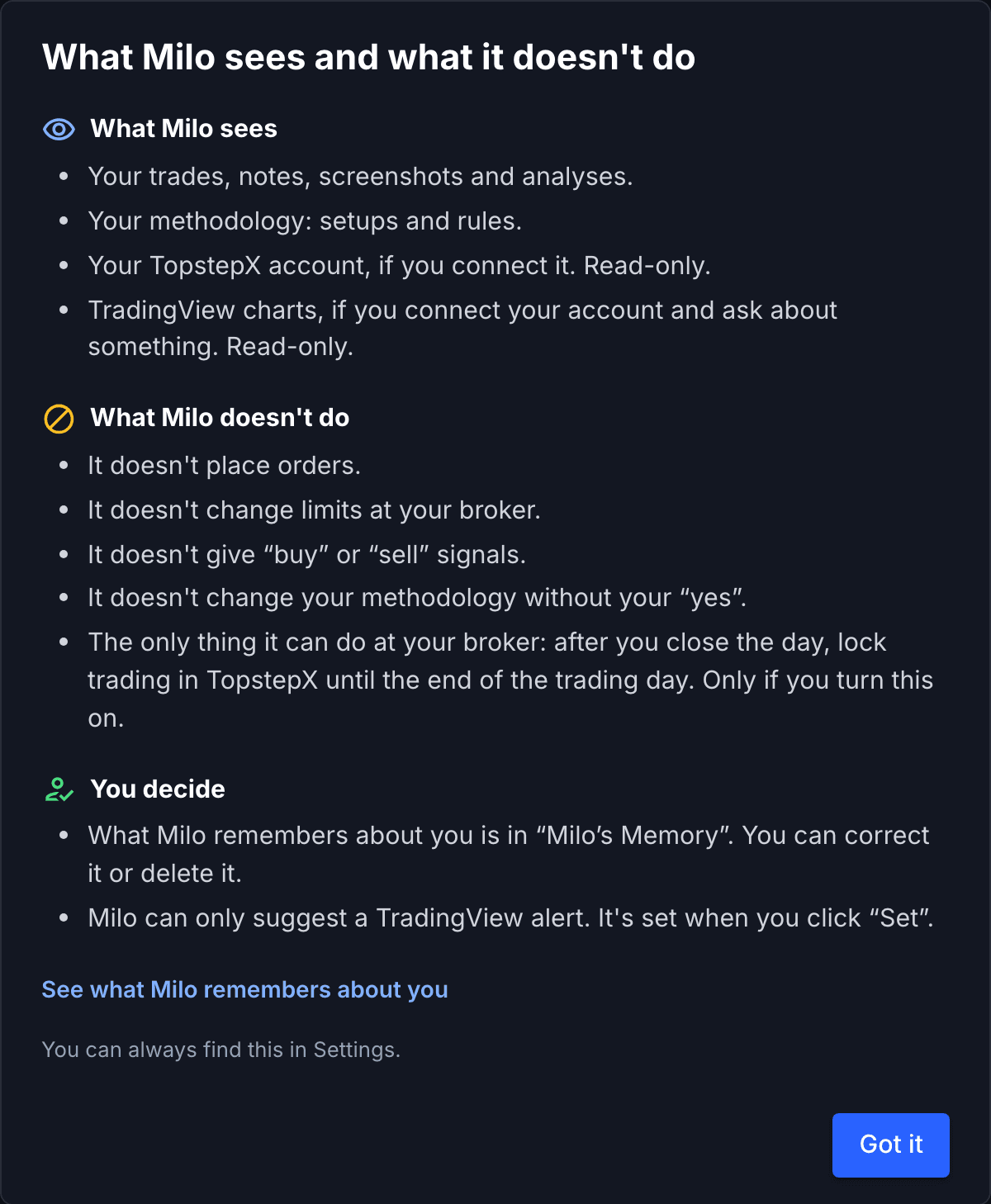
Before you show Milo your first trade, you get this screen. It's always in Settings too. No fine print.
It sees only what you give it
Your trades, notes, screenshots, your method. Your TopstepX account and TradingView charts only if you connect them, and read-only.
It does nothing on your behalf
It doesn't analyse the market for you: it teaches you to read the chart and comments on what you see on it. It places no orders, changes no limits at your broker, gives no signals. It won't change your method without your “yes”. A TradingView alert it can only propose.
Its memory is open to you
What Milo remembers about you is in Milo's Memory, where you can correct or delete it. Data stays in the European Union; we don't sell it or use it for ads.
Who this is not for
You want signals
Milo will never tell you what to buy or where to enter.
You want a bot
The platform places no orders and does not trade for you.
You want to hear you're great
Milo says things you don't want to hear.
You invest long term
This is a tool for the session and for intraday decisions.
How to start
Your first conversation with Milo a few minutes after payment.
Choose a plan
Basic or Pro. Final prices, tax included. Payment before you start, no trial.
Show Milo one trade
First one screen: what Milo sees and what it doesn't do. Then a five-minute conversation instead of a form: you upload a screenshot of one trade and get the first look at what Milo sees and what it would ask.
Trade your way
On a TradingView demo or on your own account. Add trades by hand or from a screenshot; with TopstepX they come in on their own.
Two plans. Final prices, tax included.
Basic $50 / mo · Pro $100 / mo
The questions I hear most
Does Milo give signals or investment advice?+
No. Never. Milo doesn't tell you what to buy or where to enter. It tells you whether your entry meets the conditions you wrote down yourself. TraderAI Assistant is an educational and analytical tool: we don't trade for you and we are not an investment firm or an investment adviser. Futures trading involves substantial risk of loss — see the Risk disclosure.
How is this different from ChatGPT?+
ChatGPT doesn't know your rules, doesn't see your trades, won't remember today tomorrow, and happily agrees with you. Milo has your method, your trades and a memory. It holds you to your own rules, not to generic advice.
Do I have to connect a broker account?+
No. You can enter trades by hand or add them from a screenshot. If you trade on TopstepX, you can connect your account on every plan: the connection is for reading, and the only thing the platform ever does on the account is the trading lockout after the day closes, which you turn on yourself.
I trade crypto or forex, not futures. Does it make sense?+
Yes. You enter trades by hand or from a screenshot, and your method and Milo work the same way on every market. Automatic journaling from an account works for TopstepX today. We add more integrations when users ask for them.
What if Milo gets it wrong?+
It can get things wrong; it is an AI model. That is why Milo offers hypotheses with evidence, not diagnoses, and you can mark analyses as accurate or inaccurate. Your correction changes the next ones. What Milo remembers about you is visible to you and you can correct it.
How much reading is this? I have no time for essays.+
Not much. Every text from Milo starts with three sentences: what went right, the one thing that matters, one step. The rest is under “Expand”, and on Pro you can listen to the longer analyses. Hard messages come one at a time, not in a pile. A confirmation is “Saved”, not a paragraph.
Why should I trust a trader who blew four accounts?+
Because I'm not selling you a result. I'm selling the process guardian I needed myself. If knowledge were enough, I wouldn't have had to build it. I use Milo every day on my own account.
How much does TraderAI Assistant cost?+
We offer two paid plans: Basic at $50/mo or $500/year (Milo — up to 50 chats and analyses per day) and Pro at $100/mo or $1,000/year (up to 100 per day). Pro includes everything in Basic plus Milo's Memory, deep analysis of your day and week, growth areas, the session plan, a monthly letter that reads your month against Milo's Memory, analyses you can listen to and a second look at each TopstepX trade. It's all in the plan price, with no API key of your own. Outside the app, optional: TopstepX API access at your broker ($29/mo, $14.50 with the code "topstep") and a TradingView Essential plan or higher if you want Milo to look at your chart. For companies and teams there is a Business plan, priced individually.
The Trader's Craft
Writing on the psychology of decisions, risk and process. No market analysis.
Milo's Letter
One lesson from a real session, one intervention by Milo, one question for you. No market analysis and no signals. The letters are just starting: sign up and the first one will come to you.
I'm building this for myself. From today you can use it with me.
Two plans, final prices. You cancel with one click and keep access until the end of the paid period.
See plansI trade a prop account